Log a bird without breaking your gaze
Hold the button on the phone in your hand, in your pocket, on a strap. One second, no looking down. The bird is still there when you finish.
Free · Birding journal for iPhone and Android
Bunting is a personal birding journal you fill by speaking. Hold the button, say “Spotted Towhee”, and it is in your checklist before you have lowered your binoculars. No typing, no signal required, no bird missed while you looked at a phone — and every bird pinned to the exact spot you found it.


A morning, start to finish
You park where the track gives out and start walking. There is no signal here — there is never any signal here, which is part of why the birding is good. You press Start once and put the phone in your pocket.
A towhee scratches under the coyote brush. You hold the button on your chest and say it, and you are still watching when it hops up onto the branch. Nothing was typed. Nothing was spelled. You did not look down.
An hour later, at the top of the ridge, a hawk. You say “Red-tailed Hawk” and keep it in the glass all the way across the valley.
At the car you press Stop. By the time you are home the morning has written itself: eighteen species, each with the time you saw it and the exact spot on the track where you were standing. Nothing to type up at the kitchen table, because it was never a rough note in the first place.
That is the whole idea. Birding is a thing you do with your eyes and your ears, and the app should not ask for either.
The part that changes how you bird
Every other way of recording a bird costs you the bird. A keyboard wants two hands and both eyes; by the time you look up, the flock has moved on and you are guessing at what the second one was.

 Mallard
×3
07:42
Mallard
×3
07:42
Photo: Sandra Uecker / USFWS
Hold the button on the phone in your hand, in your pocket, on a strap. One second, no looking down. The bird is still there when you finish.
“Three mallards.” “Great White Egret.” Counts and the regional names you actually use are understood — and because it expects birds, a Pyrrhuloxia comes back as a bird rather than the nearest English phrase.
The AI that hears you runs on the phone itself, so no signal is needed and no audio is sent anywhere — the thing you rely on most cannot be taken away by the terrain.
What you have when you get home
A list of species is a receipt. What a birder wants years later is the morning itself — the day, the place, and the bird that turned up where nothing usually does.
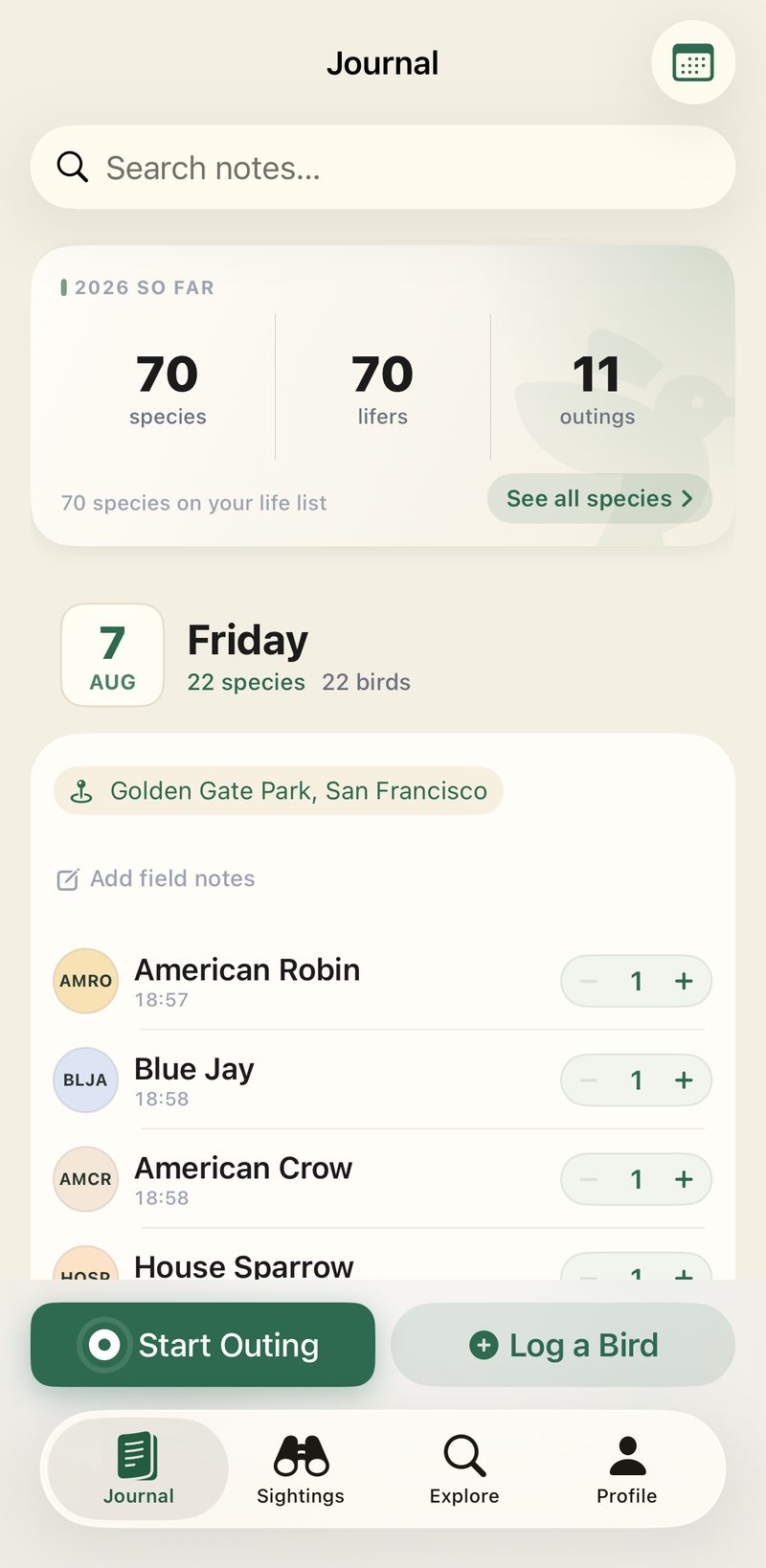
Under the day and the place, with counts, notes and the time each species appeared — and no hour at the kitchen table writing it up.
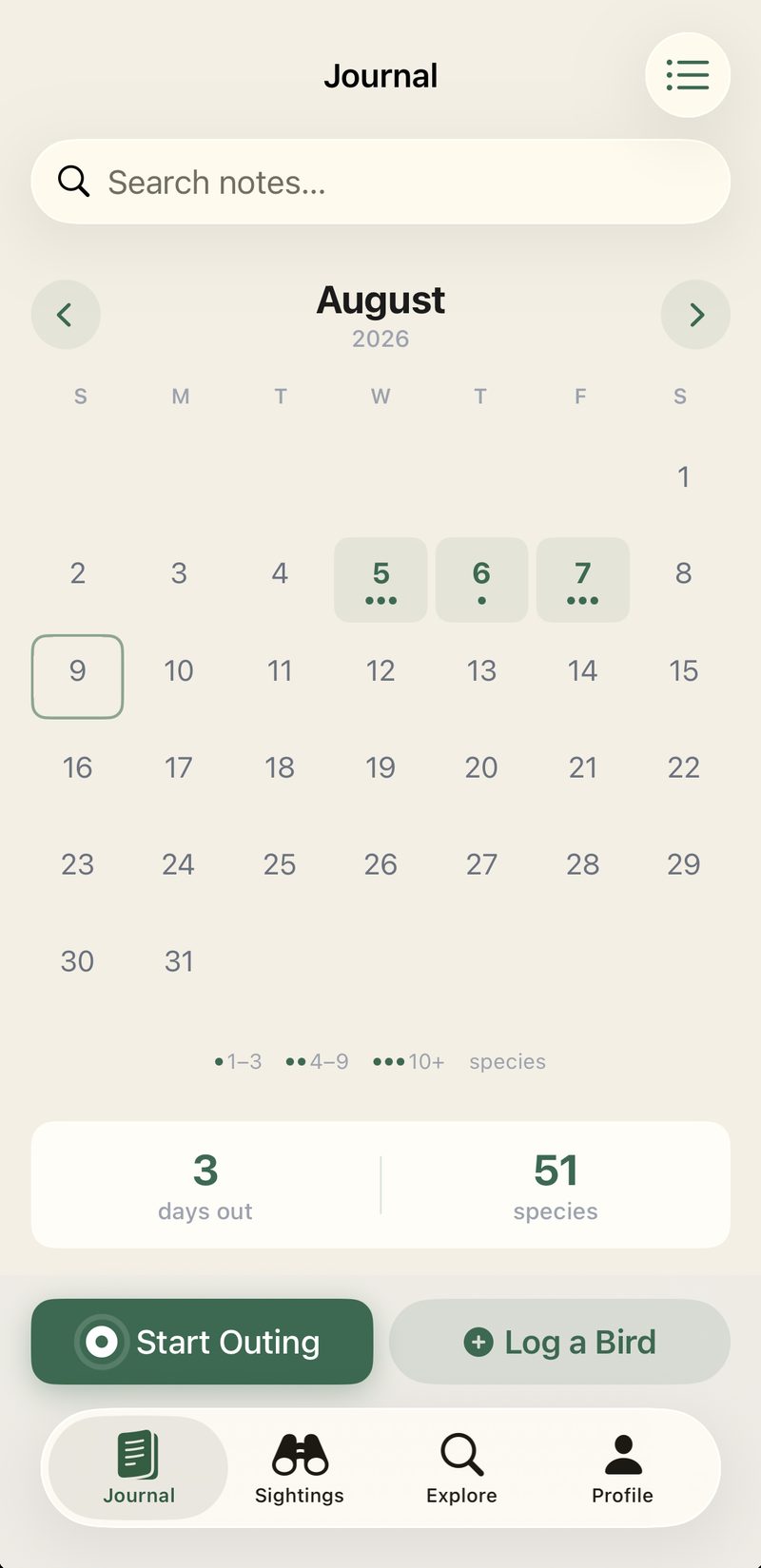
Every day you were out, marked and weighted by what you found. A list hides your gaps; a month shows you the fortnight you missed and the week you did not.
Everything ever recorded, what was new this year, and the days out in a row — with the same panels on your home screen as widgets, and no notification ever asking you to keep a streak alive.
Fix a count or a place whenever you like. Bring your eBird history in, and export the lot in a form other software reads.
Privacy
An account is required so your journal syncs across your devices and survives a lost phone. Read the privacy policy.
Questions
Ordinary dictation would not: it has never met a Pyrrhuloxia. Bunting does not use ordinary dictation — its speech AI is told in advance that it is listening for birds, and what it hears is matched by sound rather than spelling. “Scaup” finds Lesser Scaup; “red tail hawk” finds Red-tailed Hawk.
When it does miss, the bird sits there for a few seconds with a bin beside it, and a keyboard is on the same screen.
The AI doing the listening is built from the species catalogue itself — every common name, the regional alternates, and the pronunciations spelling gets wrong — and where you are narrows the field before you speak. All of it runs on the phone.
Yes. Every entry is written to your phone first and sent to the server whenever a connection turns up. Voice logging, species search and your whole journal work in airplane mode — which is the ordinary case in a marsh, a canyon, or a coastal reserve. Around 14,000 species live on the phone, with the regional names and four-letter codes you already use.
No, and deliberately. The AI here listens for the name you say, not for the bird. Identification apps such as Merlin answer a different question, and Bunting does not try to replace them — it records what you have already identified.
Yes. Ask eBird for your My eBird Data download and hand Bunting the CSV: your checklists arrive as outings with their dates, counts and places, and every species in them joins your life list — so you start where you actually are rather than at zero. Importing the same file twice is safe; anything already in your journal is recognised and skipped.
It is a personal journal rather than a scientific database. Import your existing eBird records and export everything you log here at any time, so Bunting sits alongside eBird rather than locking anything in.
Free on the App Store and Google Play. Take it out once and see whether you look at your phone less.